Find any cabinet
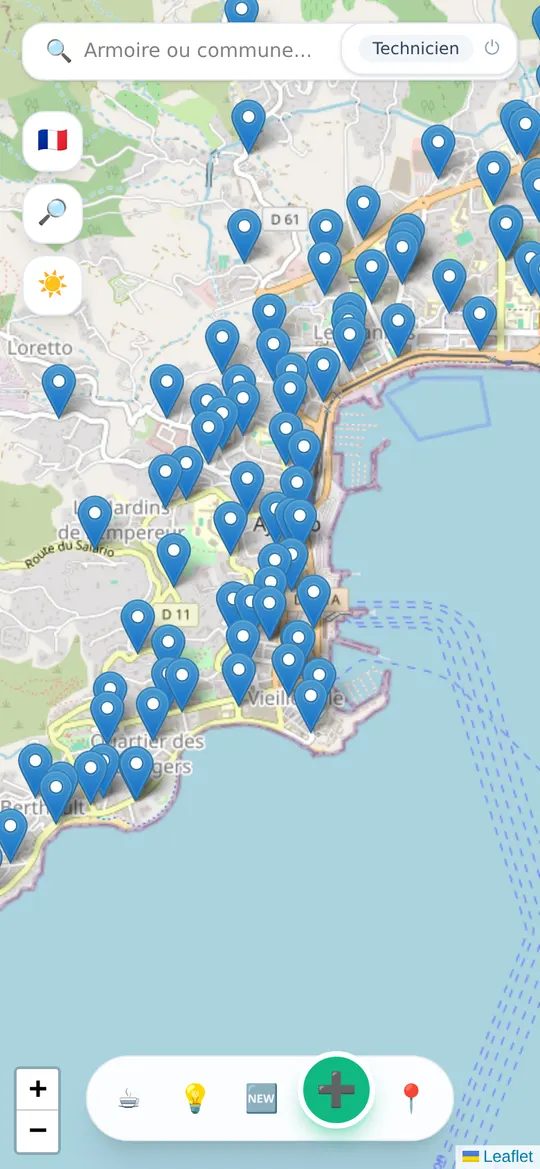
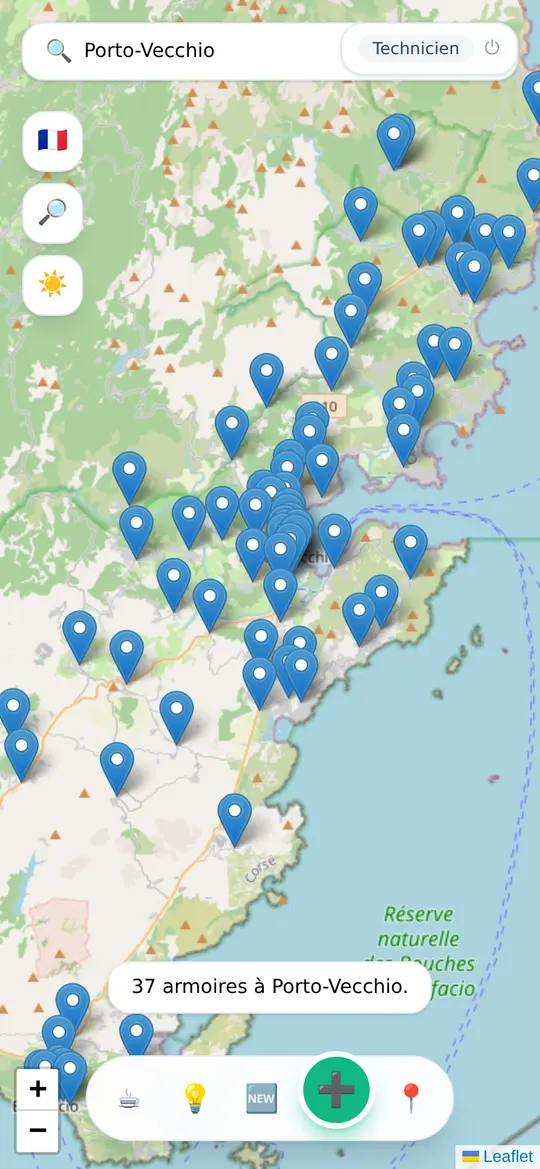
Type its name, its number or a town: the map takes you there. The 📍 button locates you and lists the nearest cabinets, with a multi-stop route for your round.
All the information in one place
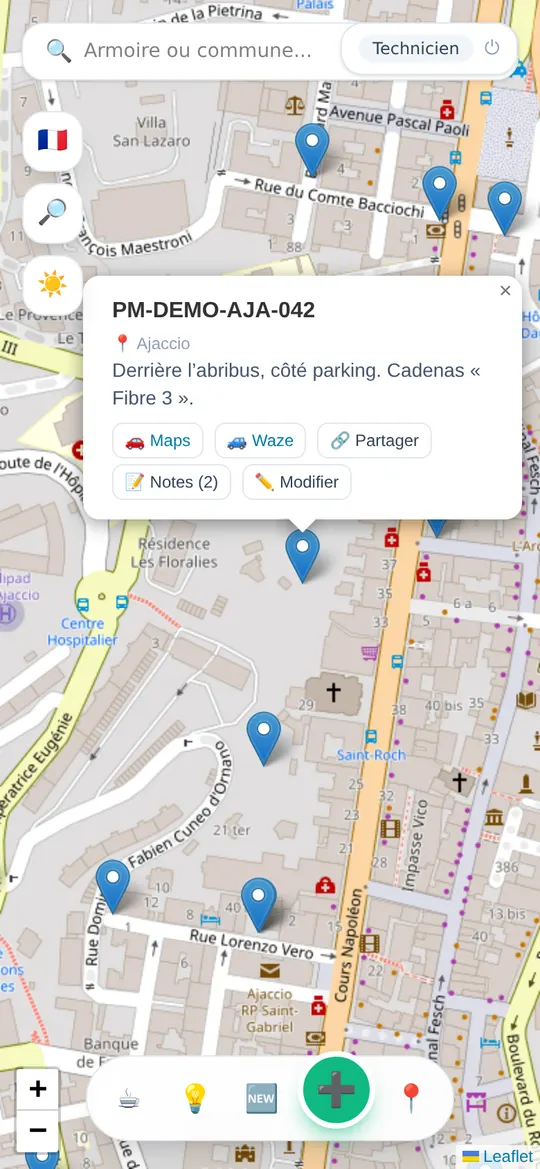
Location, access, description… and directions in one tap with Google Maps or Waze. Send a cabinet to a colleague by text or WhatsApp: the link opens the map right on it.
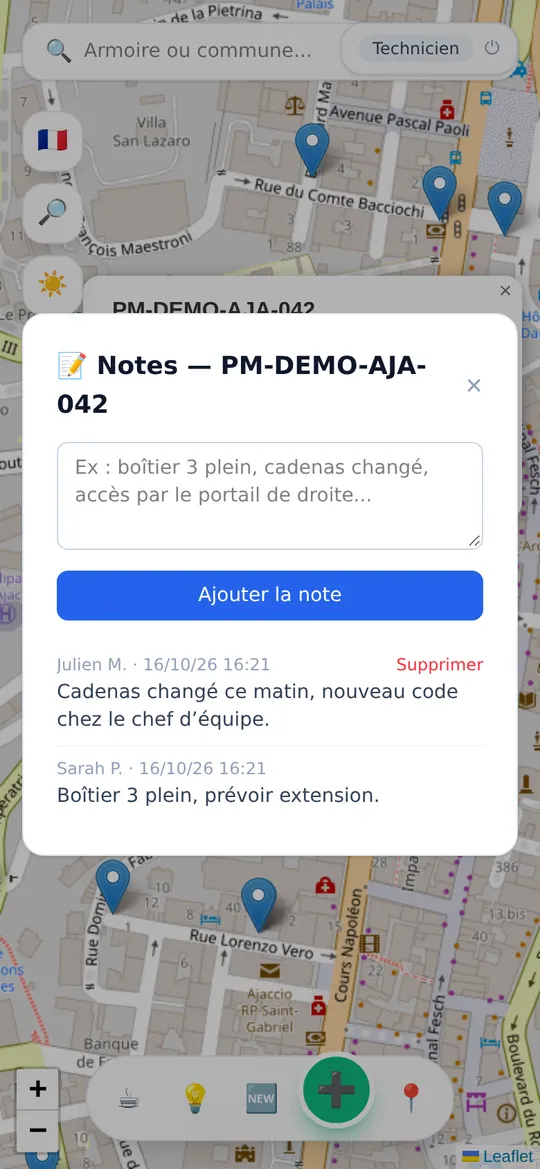
The team's notes
Full box, padlock changed, access through the gate on the right: leave a dated, signed note. The colleague who comes after you saves time, and the history is kept.
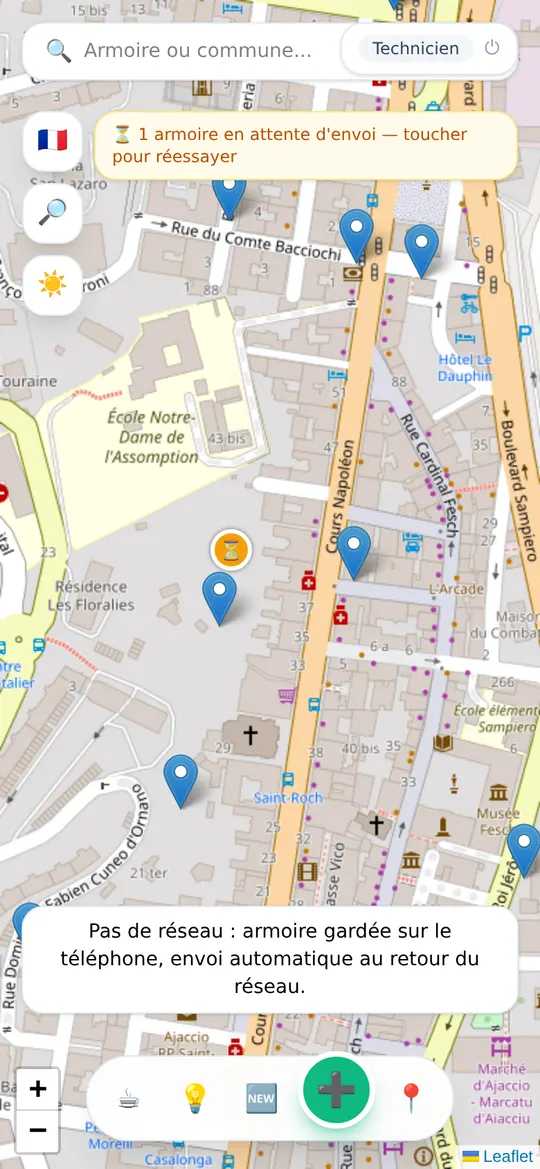
Even in dead zones
No signal? Add the cabinet anyway, at your GPS position in one tap: it is kept on the phone and sent automatically as soon as signal returns. The map stays viewable.
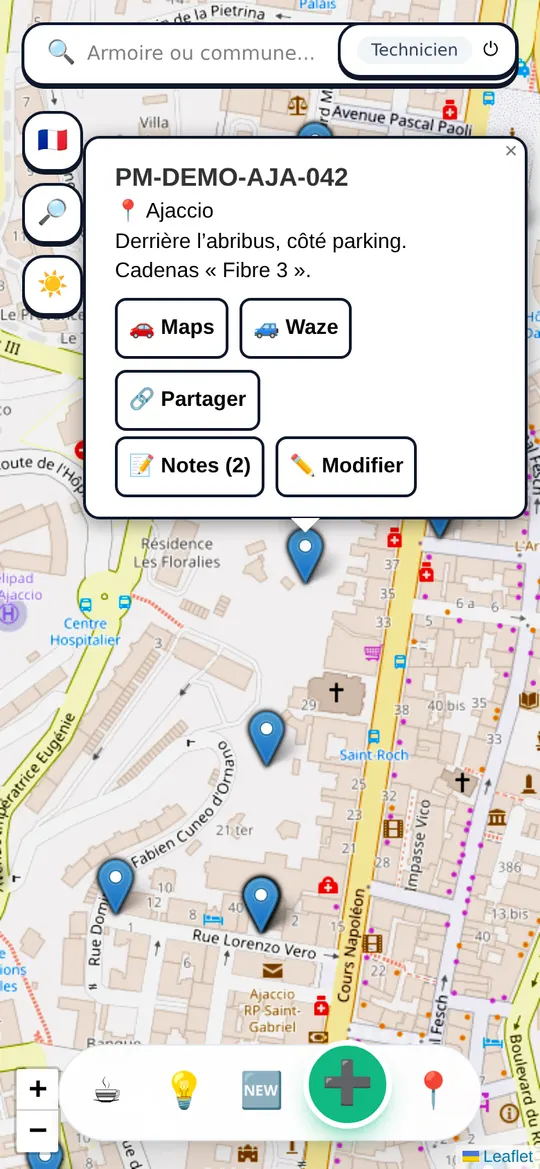
Readable in bright sunlight
One tap on ☀️: black text, bigger buttons, higher-contrast map. Designed for a phone screen outdoors, at midday.
And also
- ⚠️Alert if the cabinet you are adding already exists less than 30 m away
- 🇫🇷“ARCEP verified” badge and national layer of shared access points (France)
- 🔎“My cabinets” and “Recent notes” filters
- 📱Installs on the home screen like a real app
- 🌈To revise: colour code of the 12 fibres, fibre acronyms, glossary and a quiz (in French).
- 💶Free profitability calculator: what a job really earns you, after mileage and charges (in French)
Get started in 3 steps
-
1
Create your account
An email and a password, that's all. Create my account
-
2
Install it on your phone
iPhone: in Safari, Share button then “Add to Home Screen”.
Android: in Chrome, menu ⋮ then “Install app”. -
3
Add your first cabinet
➕ button at the bottom of the map, then “📍 My position” if you are in front of the cabinet.
Frequently asked questions
Is it really free?
Yes, and ad-free. FibreMap is made by a technician for technicians: hosting is paid out of his own pocket and by the coffees offered with the ☕ button.
Who can see the cabinets and notes?
Only technicians signed in with an account. The map is not public and does not appear on Google.
How do I add a cabinet?
Tap ➕ at the bottom of the screen to add it at your position, or long-press on the map at the exact spot. Put the reference as the name (21 characters max) and, if you can, a description useful to colleagues: access, code, location.
Does it work without signal?
Cabinets already loaded stay viewable, and what you do without signal (adding a cabinet, a note, “✅ seen”) is kept on the phone and sent automatically when signal returns. The background map (the streets) needs a signal: it may be missing in dead zones.
I can't find a cabinet, what should I do?
Type the reference or the town in the search bar at the top. If it doesn't exist yet and you are in front of it, add it in one tap, the name is already filled in. Otherwise, tap 🙋 Ask the techs in the area: technicians in the département are notified, and so are you as soon as a cabinet is added less than 1 km away.
An idea, a bug?
💡 button in the app: write to us, the reply arrives right in the app.